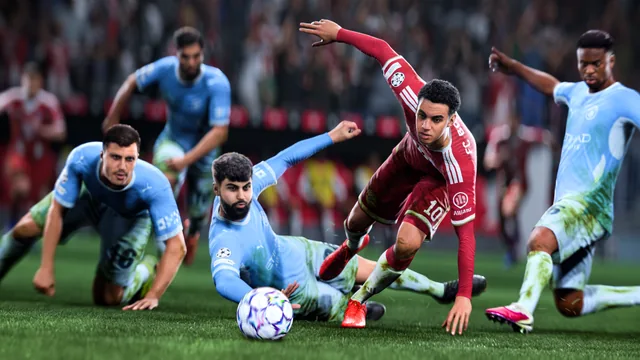
This guide covers EA SPORTS FC 27 on PC (often searched for as "FIFA 27") when online matches suffer from lag, delayed controls, visual stuttering or disconnections, or when connection icons appear during the match. EA explains that every in-match action travels from your network to an EA game data center and back: any
This guide covers GTA Online on PC, in GTA V Enhanced as well as GTA V Legacy, when the BattlEye anti-cheat shows an error at launch or kicks you from a session. According to Rockstar Support, BattlEye must be running during online sessions: without BattlEye, the game cannot connect to the official GTA Online servers.
This guide answers the question "Is GTA VI (GTA 6) available on PC?" using only Rockstar Games' official announcements. It also explains how to spot a fake "GTA VI PC" offer. The information was checked on Rockstar's official website on October 26, 2026 and may change: the official page always takes precedence. Problem
This guide covers GTA Online on PC when your character, your money (GTA$) or your assets don't appear in GTA V Enhanced. GTA V Legacy (the original PC version) and GTA V Enhanced use separate Online profiles. To get your progress back in Enhanced, you need to start the profile migration from Enhanced. A wrong choice at
This guide covers GTA V on PC when your Story Mode progress doesn't appear in GTA V Enhanced. Since the March 2025 PC update, two versions coexist: GTA V Legacy (the original PC version) and GTA V Enhanced, an upgrade that Rockstar announces as free for players who already own GTA V on PC. It is available through the R
This guide covers EA SPORTS FC 27 on PC (often searched as "FIFA 27") when the game stutters, inputs respond late or the match seems to run in slow motion. EA describes these symptoms on its FC 27 PC performance troubleshooting page: they can appear even offline and even when the FPS counter looks normal. First you nee
This guide covers EA SPORTS FC 27 on PC (EA app, Steam or Epic Games) when the game refuses to start or closes because of EA Javelin anticheat, EA's anti-cheat. EA lists its Javelin troubleshooting page among the "PC" articles of FC 27 support. According to EA, these errors most often come from corrupted files or confl
This guide covers the Matchmaking Error #1, #2 or #3 messages that prevent you from joining a Fortnite match on PC. According to Epic Games, these errors most often come from server maintenance or a network problem, and each number has a specific meaning. Most cases therefore don't come from your PC: the first thing to
This guide covers the CPU Fan Error message (often followed by Press F1 to Run SETUP or Press F1 to Resume) displayed at startup, before Windows. It is issued by the motherboard during POST (the startup checks). According to ASUS, it means the motherboard does not detect the rotation speed of the processor fan. The fan
This guide covers a Windows 11 display language (menus, Settings, File Explorer) that refuses to change: language missing from the list, a licence message, a change that doesn't apply, or an interface partly left in the old language. According to Microsoft, the main causes are a single-language edition of Windows, a la
This guide covers the BAD_POOL_HEADER blue screen (stop code 0x00000019) on Windows 10 and Windows 11. According to Microsoft, it means that a pool header is corrupted: the pool is the memory area shared by the kernel and drivers. By the time of the crash, the memory is already damaged, and the component shown on scree
Classic Outlook for Windows (Microsoft 365, Outlook 2016 to 2024) can show the password prompt in a loop: you type the password, the prompt comes back, and messages stop syncing. Microsoft lists several causes, from a password simply changed at the email provider to a Microsoft 365 account stuck in the "Need Password"