
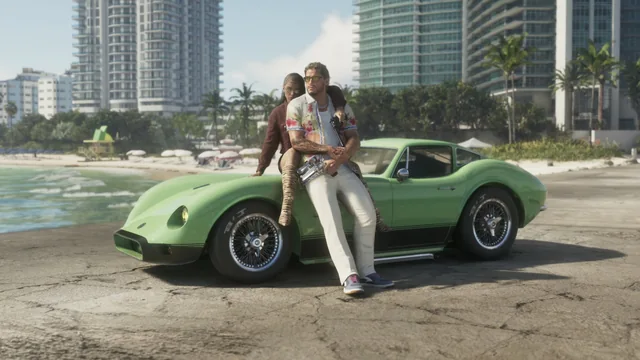
This guide answers the question "Is GTA VI (GTA 6) available on PC?" using only Rockstar Games' official announcements. It also explains how to spot a fake "GTA VI PC" offer. The information was checked on Rockstar's official website on October 26, 2026 and may change: the official page always takes precedence.
What Rockstar officially announces
On the official Grand Theft Auto VI page, checked on October 26, 2026:
| Item | Official announcement |
|---|---|
| Release date | November 19, 2026 |
| Announced platforms | PlayStation 5 and Xbox Series X|S |
| Additional mention | "Plays best on PlayStation 5" |
| Pre-order | Open, with an Ultimate Edition and a pre-order bonus (Vintage Vice City Pack) |
| PC version | No PC version is announced on the official page |
The launch trailer, released on October 15, 2026 and shared on the Rockstar Newswire, does not change these platforms.
Practical consequences:
- There is no official PC date and no official PC minimum requirements. Any such figures circulating do not come from Rockstar.
- PlayStation 4 and Xbox One are not among the announced platforms.
- PC-specific technical issues for GTA VI can't be documented yet: there is no PC version to troubleshoot.
Check an announcement before believing it
When to use it: whenever you read that a PC version has been "released", "leaked" or "announced".
Don't install a fake "GTA VI PC"
When to use it: if a website, video or message offers to download GTA VI on PC, an "installer", a "crack" or a "beta".
Since Rockstar has not announced any PC version, such a file cannot be the official game. These offers are often used to spread malware or steal accounts.
A low number of detections on an online scanning site does not prove a file is safe. For a so-called "GTA VI PC", the only reliable check is Rockstar's official announcement.
Meanwhile, on PC?
On PC, the series is still represented by GTA V and GTA Online. For their issues, use the forum's Grand Theft Auto and GTA Online sections (French).
Sources
- Rockstar Games: Grand Theft Auto VI, official page (checked on October 26, 2026)
- Rockstar Games: Grand Theft Auto VI Launch Trailer
- Rockstar Newswire: Watch the Grand Theft Auto VI Launch Trailer
- Microsoft Support: Virus and Threat Protection in the Windows Security App
Any questions?
Reply to this topic with:
- The address of the official Rockstar page you checked, if an announcement seems different from this guide.
- For a dubious offer: the name of the site or channel (without a clickable link), and whether you ran a file.
- The exact Windows Security message, if any.
Do not post any username or password.