

Since Minecraft: Java Edition 26.1 (March 24, 2026), the game allocates 4 GB of RAM by default instead of 2 GB, and Mojang’s help center tells players with 4 GB of RAM or less to set it back to 2 GB by hand. So how much memory do you give Minecraft today, and what actually fixed your crashes, freezes or stutters?
Video: “WILDERNESS BOUND | Official Trailer”, official Minecraft channel (Mojang Studios), September 15, 2026. Trailer of the latest game drop, not a troubleshooting video: https://www.youtube.com/watch?v=1HCrV7mFWr8
What Mojang says (read on November 11, 2026):
- Memory is set in the Minecraft Launcher: Installations, your installation, More Options, JVM arguments. -Xmx2G means 2 GB, -Xmx4G means 4 GB. Back up the original text and your worlds first.
- 4 GB of RAM or less: go down to 2 GB. 8 GB or more: you can go higher, but about half of your RAM at most on 64-bit Windows (4 GB max on 32-bit).
- 26.1 also switched to the ZGC garbage collector on compatible devices; Mojang warns that third-party launchers may not support these changes.
- Other official steps: restart PC and router, update Windows and GPU drivers, unplug extra USB devices, disable mods one by one, lower video settings, reinstall as a last resort.
- The latest Java Edition release on November 11, 2026 is 26.3 (Wilderness Bound, September 15, 2026), according to Mojang’s version list.
Questions for players:
- How much RAM does your PC have, and which -Xmx value do you use now?
- Did going back to 2 GB (or going up to 6 or 8 GB) stop your crashes or stutters?
- Do you use the official launcher or a third-party one (Prism, CurseForge, Modrinth…)? Did the ZGC change cause problems there?
- Modded players: which mod or loader (Fabric, NeoForge, Sodium…) was behind your crash after updating to 26.x?
- Anyone with “Pixel format not accelerated”: was a graphics driver update enough?
Please share your Minecraft version, Windows version, CPU/GPU, RAM, your JVM arguments (nothing personal) and what fixed it. Don’t post account details or links to unofficial downloads.
Full guide with Mojang’s official fixes: https://tricknfix.com/articles/minecraft-java-edition-crashing-lag-wont-launch-ram-allocation-jvm-arguments-mojang-official-fixes/
French version of this discussion: https://tricknfix.com/fr/sujet/minecraft-java-depuis-la-26-1-combien-de-ram-xmx-donnez-vous-au-jeu-et-qu-est-ce-qui-a-enfin-regle-vos-plantages-ou-saccades-6e83d7d83e/
Sources (read November 11, 2026):
Minecraft Help, Fix Minecraft: Java Edition Game Crashes by Checking Memory Allocation: https://help.minecraft.net/hc/en-us/articles/39083573916941
Minecraft Help, Fix Crashes and Lag Issues in Minecraft: https://help.minecraft.net/hc/en-us/articles/27554449862285
Minecraft.net, Minecraft Java Edition 26.1 (March 24, 2026): https://www.minecraft.net/en-us/article/minecraft-java-edition-26-1
Mojang version manifest (latest release 26.3): https://piston-meta.mojang.com/mc/game/version_manifest_v2.json
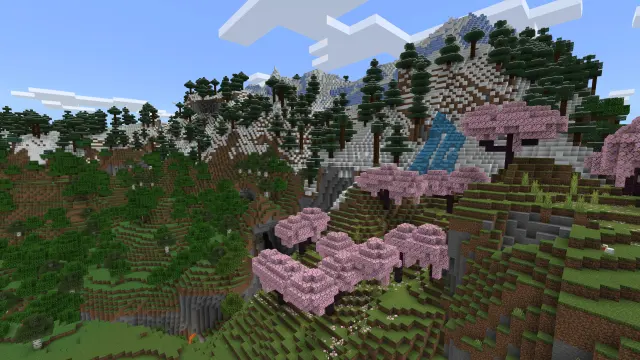
Image: official Minecraft "Wilderness Bound" visual from minecraft.net, © Mojang Studios / Microsoft