

GTA VI launches on November 19, 2026, and pre-loading has been open since November 10. If your download will not start, stalls, or you are not sure you have enough space, here is the official PlayStation checklist, and I would like to hear what actually worked for you. Which step fixed it, or are you still stuck?
Video: "Grand Theft Auto VI: Pre-Load Now", official Rockstar Games YouTube channel (published November 10, 2026). It announces that pre-loading is open; it is not a troubleshooting video: https://www.youtube.com/watch?v=_yl5ELcmugI
What the official sources say (PS5):
- Space: Rockstar says the pre-load needs up to 212 GB depending on your device, and Sony asked PS5 owners to clear at least 212 GB (Rockstar Newswire and PlayStation Blog, Nov 3, 2026).
- Who can pre-load: digital pre-orders, and the physical "code-in-box" edition once you redeem the code. The box contains a download code, not a disc (PlayStation Support, GTA VI page, read Nov 13, 2026).
- Settings Sony lists: Auto-Install in Rest Mode on, "Stay Connected to the Internet" on in Rest Mode, system software up to date, and Console Sharing and Offline Play enabled if other accounts use the console (PlayStation Support).
- If GTA VI is in Downloads/Uploads but does not move: Pause, then Resume. If it still does not start: Cancel and Delete, go back to Game Library and download it again (PlayStation Support).
- Still stuck: check that you are signed in to the account that bought the game or redeemed the code, that the console is online, and that there is enough storage (PlayStation Support).
- Pre-loading does not let you play early. The game unlocks at midnight local time on November 19 (PlayStation Blog, Nov 10, 2026; Sensor Tower figures reported by Rollingout on Nov 13 are estimates, not Rockstar numbers).
- Not announced as of Nov 12-13: a day-one patch size or version. Unconfirmed, so plan for some extra space and time on launch day.
Questions for the community:
- Did your pre-load start on its own, or did you have to start it manually? On which console?
- Which step fixed a stalled or failed download: Pause/Resume, Cancel and Delete, a restart, or something else?
- How did you free up 212 GB: deleting games, an external or M.2 drive, or something else?
- If you bought the physical code-in-box edition, did the code redeem without trouble?
- Will you stay up for midnight on November 19, or wait until you wake up?
Please share your console (PS5, PS5 Pro, Xbox Series X|S) and what you tried, so others can follow the same steps. The Xbox steps are not covered here: I did not read an official Xbox checklist for this topic.
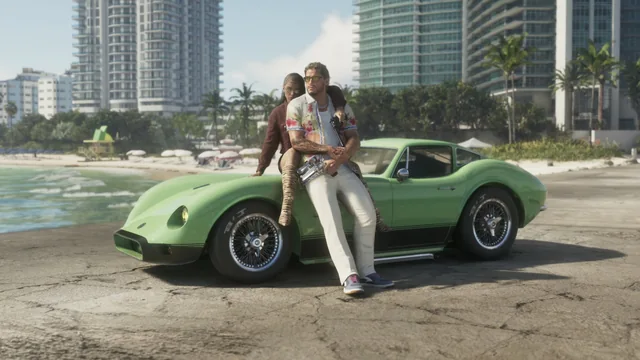
Image: thumbnail of the official Rockstar Games video "Grand Theft Auto VI: Pre-Load Now" (YouTube). © Rockstar Games.
Sources: PlayStation Support, "Grand Theft Auto VI support", read Nov 13, 2026 https://www.playstation.com/en-us/support/games/gta-vi-support/ ; PlayStation Blog, "Pre-load Grand Theft Auto VI on PS5 starting today", Nov 10, 2026 https://blog.playstation.com/2026/11/10/pre-load-grand-theft-auto-vi-on-ps5-starting-today/ ; PlayStation Blog, "Grand Theft Auto VI pre-download begins November 10", Nov 3, 2026 https://blog.playstation.com/2026/11/03/grand-theft-auto-vi-pre-download-begins-november-10/ ; Rollingout, "10.31 million GTA 6 preorders: PlayStation vs. Xbox split", Nov 13, 2026 https://rollingout.com/2026/11/13/gta-6-preorders-top-1-billion/
French version of this topic: https://tricknfix.com/fr/sujet/gta-vi-le-prechargement-ne-demarre-pas-ou-reste-bloque-la-checklist-officielle-de-sony-pour-ps5-et-ce-qui-a-marche-pour-vous-avant-le-19-nov-8e063f77a1/
#gta-vi