

Apex Legends crashes on PC do not all look the same: some players drop to the desktop with only an Apex_crash.txt, others get error code 23, DXGI_ERROR_DEVICE_HUNG, an Easy Anti-Cheat 30005 error or “Invalid game executable”. EA Help lists official fixes, but which one actually worked on your PC, especially since the Godzilla event started?
Video: “Apex Legends | Godzilla Event”, official Apex Legends channel (@playapex), November 5, 2026, 1 min 38 s. Event trailer, not a troubleshooting video: https://www.youtube.com/watch?v=Wb3rurFvECU
What EA Help suggests (pages read on November 11, 2026):
- First check @PlayApex and EA’s server status page, restart the game and PC, and reinstall if needed (EA says progress is kept).
- Crash or Apex_crash.txt: repair the game files (EA app > Library > Apex Legends > Manage > Repair), close background apps, clean boot, cap your frame rate or enable V-Sync.
- Error code 23: match your EA Account and EA app settings (language, region), update graphics drivers, repair or reinstall via appwiz.cpl.
- DXGI_ERROR_DEVICE_HUNG: fully restart your system (EA says a background app is stuck).
- Error 30005: delete the .sys file in C:\Program Files (x86)\EasyAntiCheat, then restart. “Invalid game executable”: add r5apex.exe as an antivirus exception.
- EA does not tie these crashes to a specific update and does not publish a list of affected hardware.
Questions for players:
- What exactly happens: silent crash to desktop, Apex_crash.txt, error 23, DEVICE_HUNG, 30005, “runtime integrity check”, or a freeze? At launch, in the lobby, or mid-match? Since when (the Godzilla event on November 10, a Windows update, a new GPU driver)?
- Which step finally fixed it? Repair in the EA app or Steam, a frame rate cap or V-Sync, closing an overlay or monitoring app (which one), a clean boot, deleting the EasyAntiCheat .sys file, an antivirus exception, a driver rollback or clean install?
- Do you play through the EA app or Steam, and did the launcher make a difference?
- Did nothing work, and did EA Help or the EA Forums find the cause?
Please share your Windows version (10 or 11), CPU, graphics card and driver version, launcher, and what fixed it. Do not post account details or full DxDiag reports publicly.
Guide: EA’s official fixes for Apex Legends crashes and PC error codes: https://tricknfix.com/articles/apex-legends-pc-crash-error-code-23-dxgi-device-hung-30005-invalid-game-executable-ea-official-fixes/
More Apex discussions: #apex-legends (https://tricknfix.com/tags/apex-legends/) · Windows 11: #windows-11 (https://tricknfix.com/tags/windows-11/)
Sources: EA Help, “Troubleshoot error messages in Apex Legends” (first published March 20, 2025, updated 2 days before November 11, 2026): https://help.ea.com/en/articles/apex-legends/error-codes/ ; “Troubleshoot PC, PlayStation and Xbox crashing or freezing” (first published March 18, 2025): https://help.ea.com/en/articles/platforms/fix-crashing-and-freezing/ ; “How to clean boot your computer”: https://help.ea.com/en/articles/technical-issues/how-to-clean-boot-your-computer/ ; EA, Godzilla event news (November 5, 2026): https://www.ea.com/games/apex-legends/apex-legends/news/godzilla-event (all read November 11, 2026)
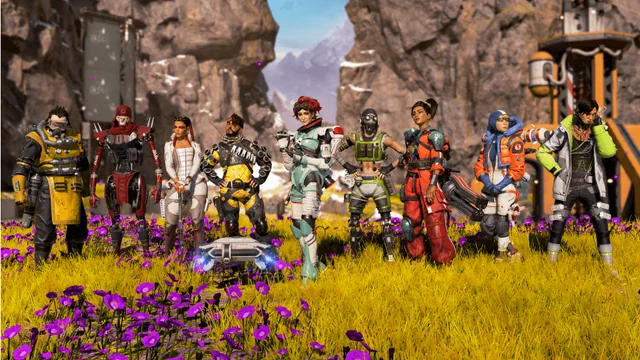
Image: official Godzilla event screenshot from EA’s November 5, 2026 news post (https://www.ea.com/games/apex-legends/apex-legends/news/godzilla-event), © Electronic Arts / Respawn, Godzilla TM & © TOHO
Version française : https://tricknfix.com/fr/sujet/apex-legends-plante-sur-pc-pendant-l-evenement-godzilla-code-23-device-hung-30005-ou-retour-au-bureau-sans-message-qu-est-ce-qui-a-vraiment-360ef43063/