
Palworld après la 1.0 sur PC : supprimer Pal\Binaries\Win64 et Pal\Content\Paks a-t-il stoppé vos plantages, et votre ancienne sauvegarde moddée a-t-elle survéc
Palworld plante sur votre PC depuis la 1.0, ou un ancien monde refuse de se charger ? Pocketpair désigne toujours le même coupable : d’anciens fichiers de mods restés dans le dossier du jeu, même « désactivés ». Les supprimer a-t-il réglé le problème chez vous, et qu’est devenue votre sauvegarde moddée ? Vidéo via YouT
Palworld after 1.0 on PC: did deleting Pal\Binaries\Win64 and Pal\Content\Paks stop your crashes, and did your old modded save survive?
Palworld crashing on PC since 1.0, or an old world that won’t load? Pocketpair keeps pointing at the same culprit: old mod files left in the game folder, even when they are “disabled”. Did removing them fix it for you, and what happened to your modded save? Vidéo via YouTube Video: “Palworld 1.0 Official Launch Trailer
Palworld 1.0 crashing or won’t launch on PC? Pocketpair’s official fixes: old mods, Pal\Binaries\Win64, save backup, file check, patches (November 2026)
Starfield on PC in November 2026: did removing Creations or deleting ContentCatalog.txt stop your crashes, or is it a long-played save?
Still crashing in Starfield on PC? Bethesda Support points to two very different causes: installed Creations (with ContentCatalog.txt) and a known issue with saves that have been played for a long time. Which one was it for you? Vidéo via YouTube Video: “Starfield Official Gameplay Trailer”, official Bethesda Softworks
Starfield sur PC en novembre 2026 : retirer les Creations ou supprimer ContentCatalog.txt a-t-il stoppé vos plantages, ou est-ce une sauvegarde trop longue ?
Starfield plante encore sur votre PC ? Le support de Bethesda pointe deux causes très différentes : les Creations installées (avec ContentCatalog.txt) et un problème connu sur les sauvegardes jouées très longtemps. Laquelle était en cause chez vous ? Vidéo via YouTube Vidéo : « Starfield Official Gameplay Trailer », ch
Starfield crashing or won’t launch on PC? Bethesda’s official fixes: long saves, Creations, ContentCatalog.txt, drivers, amdvlk64.dll (November 2026)
Red Dead Redemption 2 on PC in November 2026: Vulkan or DirectX 12, which API stopped your crashes (ERR_GFX_STATE, FFFFFFFF, Error 18)?
Still playing Red Dead Redemption 2 on PC and getting ERR_GFX_STATE, “exited unexpectedly”, Unknown error FFFFFFFF or Error Code 18? Rockstar’s support mostly points to the graphics API setting: which one is stable on your machine, Vulkan or DirectX 12? Vidéo via YouTube Video: “Red Dead Redemption 2 PC Trailer”, offic
Red Dead Redemption 2 sur PC en novembre 2026 : Vulkan ou DirectX 12, quelle API a mis fin à vos plantages (ERR_GFX_STATE, FFFFFFFF, Error 18) ?
Vous jouez encore à Red Dead Redemption 2 sur PC et vous tombez sur ERR_GFX_STATE, « exited unexpectedly », Unknown error FFFFFFFF ou Error Code 18 ? Le support de Rockstar pointe surtout le réglage de l’API graphique : laquelle est stable chez vous, Vulkan ou DirectX 12 ? Vidéo via YouTube Vidéo : « Red Dead Redemptio
Red Dead Redemption 2 crashing on PC? ERR_GFX_STATE, “exited unexpectedly”, FFFFFFFF and Error Code 18: Rockstar’s official fixes (November 2026)
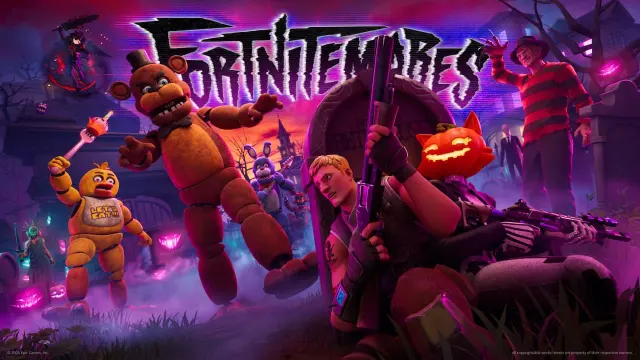
Fortnite crashing on PC in the Treasure Hunters mini-season: was it your GPU driver, a controller, GameUserSettings or something else that fixed it?
Since the Treasure Hunters mini-season launched on November 1, 2026, is Fortnite crashing, freezing or showing “The application has hung and will now close” on your PC? Epic’s help center lists several official fixes, but which one actually worked for you? Vidéo via YouTube Video: “Fortnite Treasure Hunters | Gameplay
Fortnite plante sur PC pendant la mini-saison Treasure Hunters : pilote graphique, manette, GameUserSettings… qu’est-ce qui a réglé le problème chez vous ?
Depuis le lancement de la mini-saison Treasure Hunters le 1er novembre 2026, Fortnite plante, se fige ou affiche « The application has hung and will now close » sur votre PC ? Le centre d’aide d’Epic liste plusieurs solutions officielles, mais laquelle a vraiment marché chez vous ? Vidéo via YouTube Vidéo : « Fortnite
Bu sayfanın sonuna ulaştınız.
Bir sorunuz veya paylaşmak istediğiniz bir keşif mi var?